
Text Templates
Text Templates are scripted text messages that your team members send from the dashboard or the Solidarity app. Templates can use Merge Tags to personalize the message for the intended recipient.
There are two types of Text Templates, and they differ in where they are visible.
Global Text Templates
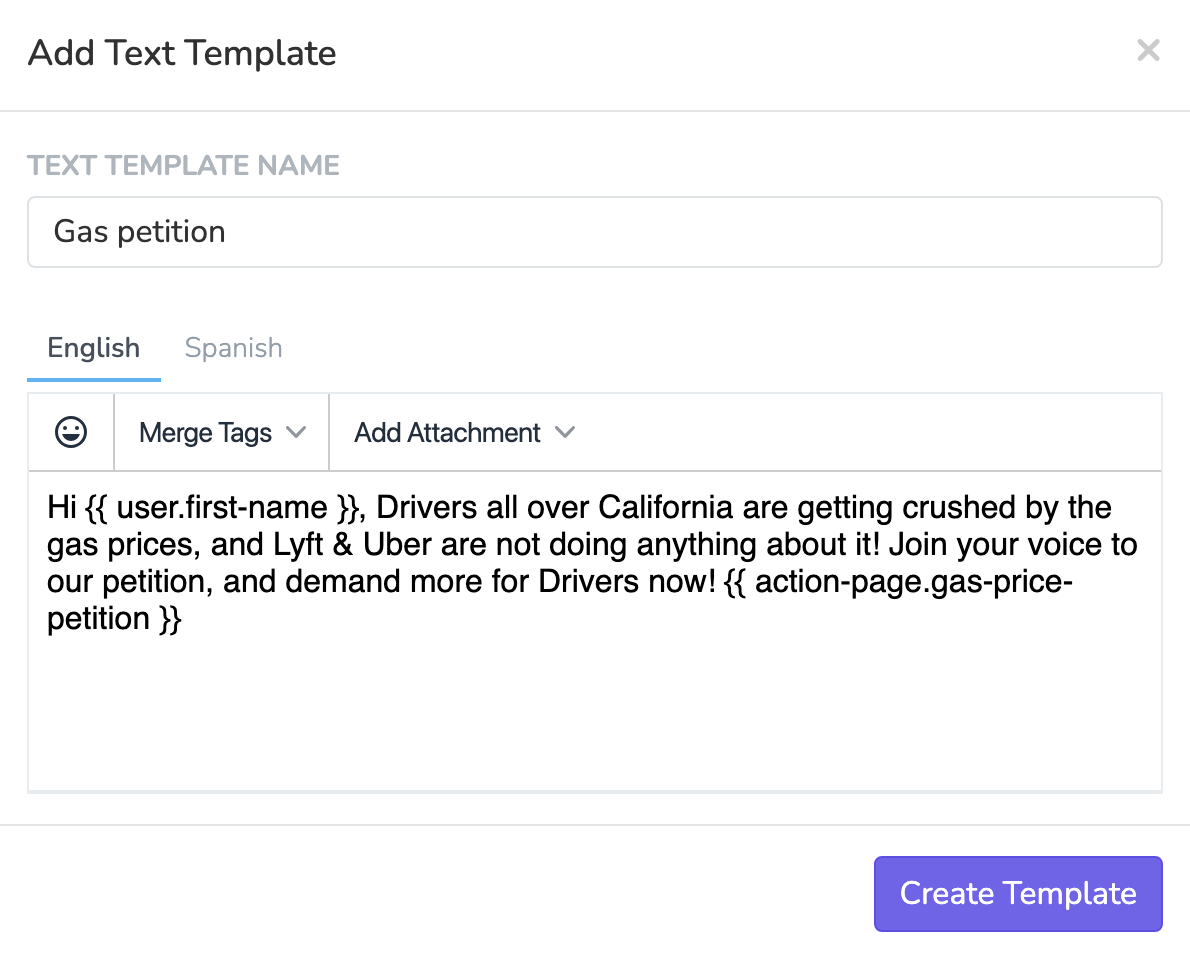
Global Text Templates are created under Settings > Text Templates. A template takes the scope you are logged in to, and shows only where that scope reaches.
To make a template available in every chapter, create it while you are logged in to the root organization.
Templates cannot carry attachments, and the template editor has no 'Send Test Text' button.
Archiving and unarchiving templates
You can archive a Global Text Template to remove it from circulation without permanently deleting it. Archived templates are hidden from all sending surfaces but can be restored later from the Archived tab under Settings > Text Templates.
Plan limit applies to unarchiving: Your plan can limit the number of active Global Text Templates. Archived templates do not count toward this limit, but unarchiving a template will be blocked if you are already at your plan's limit. To unarchive, you must first archive another active template to free up a slot.
Event Text Templates
Create Event Text Templates on the Automations tab of the event. Open the Event Text Templates section and click Add Event Text Template. Event Text Templates show in the Phonebanks and Textbanks of that event. In the Text Inbox and the Solidarity app, they show for contacts with a contact attempt in an active task of the event. They also show for contacts that a task of the event texted in the last 30 days.
This is useful when you have messaging that only applies to a specific event, like event logistics, confirmations, or follow ups that reference event details.
Common question: "I created a text template in an event but I can't see it in the Text Inbox."
An Event Text Template shows in the Text Inbox only for contacts reached through the tasks of that event. For other contacts, create a Global Text Template under Settings > Text Templates.
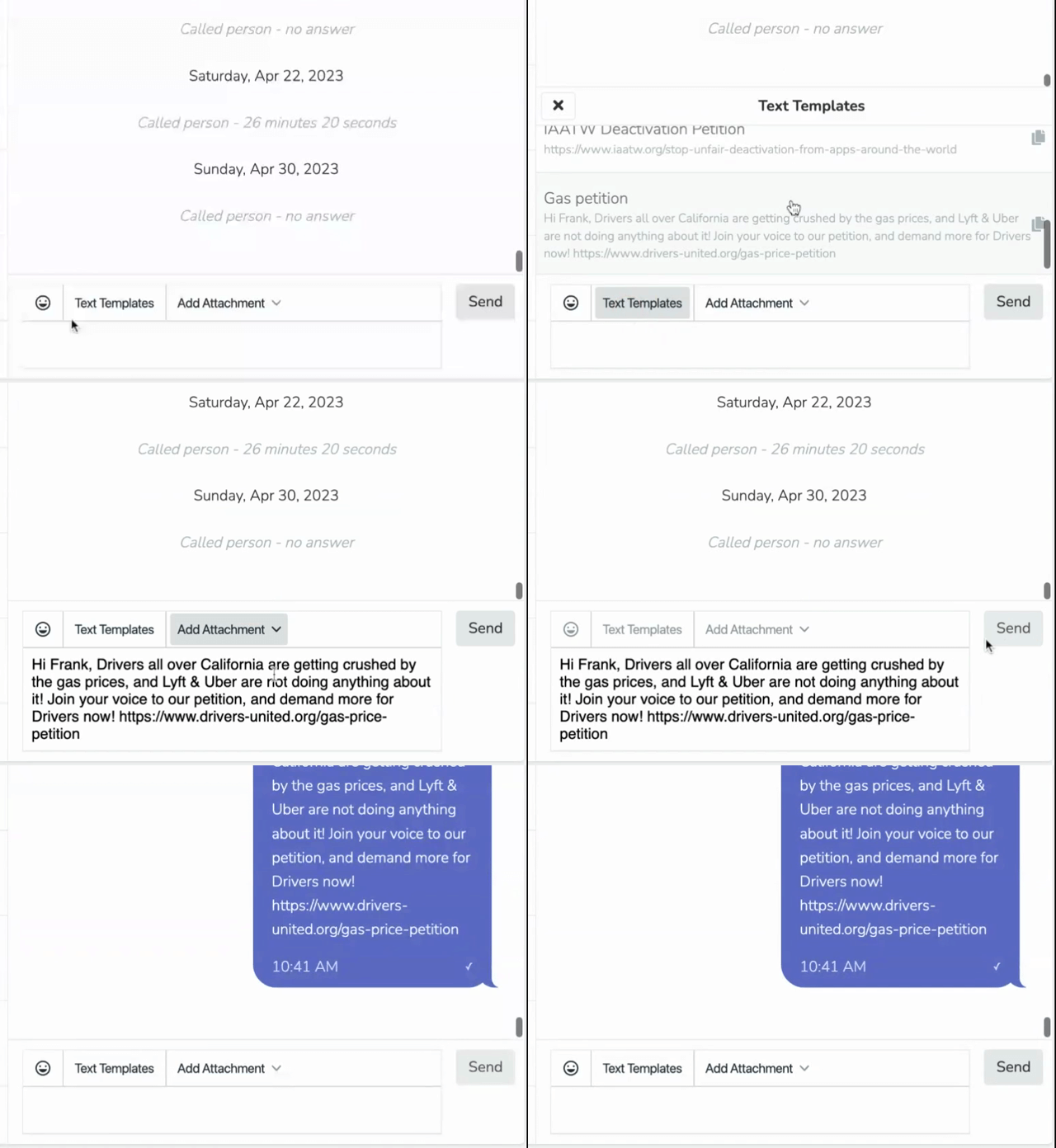
Sending from dashboard
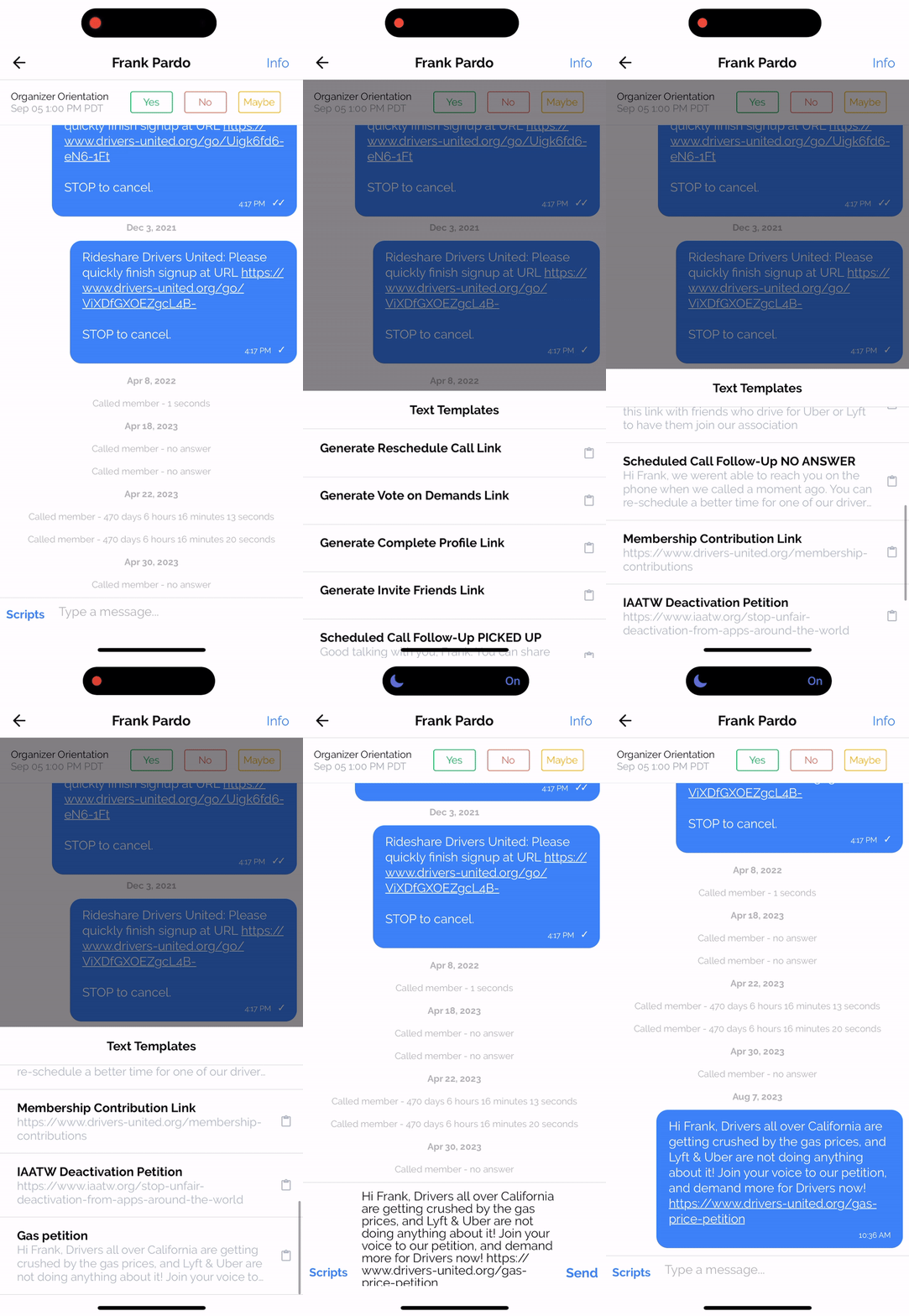
Sending from the Solidarity app
Updated 6 days ago